
Bizzo casino app: mobile website access, games and installation rewards
Bizzo casino app is the term many players search for when they want mobile access, but it’s worth separating two different things: the mobile website you can open in any browser, and a one-time reward tied to installing an application. This guide covers what the mobile website offers, how the install and push-subscription rewards work, and how to check access on your own device. Our webview app installs through Menu → Application, rather than an app-store listing; follow the instructions displayed for your device.
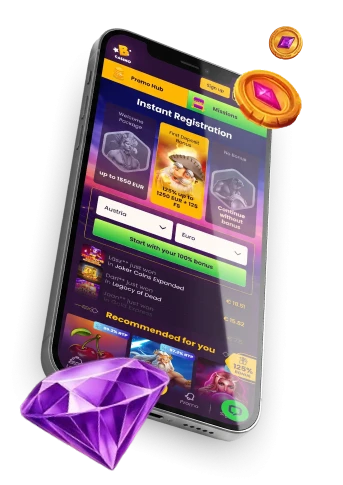
Bizzo casino mobile access: website vs. app install
Bizzo casino offers a mobile website that you can reach directly through your phone or tablet browser, without downloading anything first. This is the quickest way to check games, browse categories and get a feel for the mobile experience before deciding whether to install anything further.
Installing our webview application is a separate step that provides the same game library and sign-in route, along with a one-time install reward. Use the mobile website directly, or choose Menu → Application to install the webview app. There is no app-store listing; follow the installation prompts shown on your device.
The Bizzo casino homepage identifies video slots and live-dealer tables as the two main game categories, both available through the mobile website.
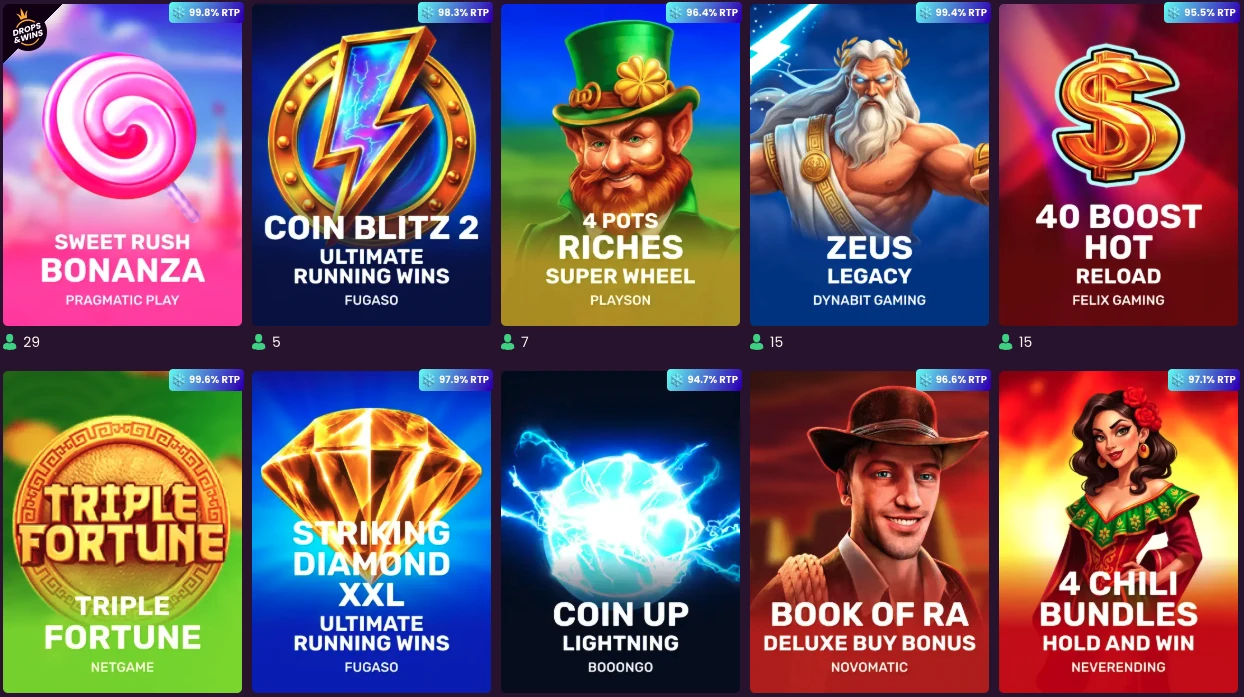
Games on the mobile website
The mobile website includes the same game library as desktop, with video slots and live table games. You can browse the lobby through your mobile browser or our webview app, using your existing account.
Before committing to a session, open the mobile lobby yourself and scroll through what’s listed under each category. This takes a minute and shows you what the lobby lists for your device when you check, so you can choose a title and read its rules before playing. If a specific slot or table game isn’t showing up, checking the mobile lobby directly is the most reliable way to confirm what’s there for you.
App install and push notification rewards
The terms describe two separate mobile-related rewards, triggered differently. The app-install offer lists a one-time reward of 10 free spins tied to your account login, while the push-subscription offer lists a separate one-time reward of 10 free spins tied to the subscription itself. Check the current offer terms before relying on either reward; don’t assume the install trigger applies to the push reward, or the reverse.
| Reward route | Trigger | Reward and timing | Important mobile condition |
|---|---|---|---|
| App install reward | Account login (one-time) | 10 free spins, available 1 hour after login | No deposit needed to receive the spins |
| Push subscription reward | Push subscription (one-time) | 10 free spins, available 1 hour after subscribing | On iOS, the app must be installed first |
Receiving either reward without a deposit is not the same as withdrawing winnings from it. Activate the free spins within three days through Client area → Bonuses, then wager them within the separate seven-day period. The default 40x wagering requirement applies unless a specific offer states otherwise. Slots contribute 100% toward that wagering; table games and live dealer games don’t count toward it.
Cashing out winnings from either reward also requires full account verification and a deposit of EUR 20, printed as written in the terms rather than converted to CAD — this applies even on Canadian pages. The maximum you can withdraw from either reward stays capped at CAD 75, and the maximum bet while either bonus is active is CAD 8. To use free spins once they’re available, go to the client area, open the “Bonuses” tab, and activate the spins there.
Install from a trusted route
To install our webview app, open the Bizzo menu and tap Application, then follow the installation instructions displayed for your device. This route starts on our website rather than through an app-store listing. Read any device permissions before confirming installation, and use the website’s Application option rather than an installer sent by a third party.
A few basic checks help:
- Open the Bizzo menu and tap Application to start installation.
- Avoid app files shared through unsolicited messages or unfamiliar third-party pages.
- Review the requested permissions before completing installation.
These checks apply to the webview installation route on whichever device you use; follow the prompts displayed by your browser or operating system.
Check mobile compatibility on your device
There’s no published list of exactly which devices or browsers are supported, but the same game library and account sign-in are available on the mobile website, webview app and desktop. The most reliable way to know whether it works for you is to test it directly.
- Open the mobile website on the device and browser you plan to use.
- Check that the browser is up to date and the connection is stable.
- Reload the page and test again after switching networks if access is interrupted.
- If a feature still fails, note the device, browser and the exact point where it breaks before contacting support.
This approach avoids relying on a compatibility claim we can’t confirm for your specific setup, while still giving you a practical path to a working session.
Resolve common mobile access problems
Most mobile access issues come down to a handful of common causes, and it’s worth separating a page that won’t load from a sign-in problem or an issue with one specific game.
- Reload the page and confirm the device still has a stable connection.
- Close and reopen the browser, then retry the mobile website.
- If only one game fails to open, return to the lobby and try again later rather than assuming the whole mobile service is down.
- If the issue continues, contact support through Live Chat and explain what happened.
These checks help distinguish a connection or loading issue from a problem with one game or account function. If the page loads but a specific feature consistently misbehaves, describing that clearly — rather than just saying it doesn’t work — helps support investigate the affected feature.
For anything that persists past a reload and a browser restart, our support team is reachable via Live Chat, and explaining exactly what you were doing when the problem appeared helps support identify the affected step.
Sign in safely and check account eligibility
Account and age rules apply the same way on a phone as on any other device. The website only accepts players aged 18 or older, and you also need to meet any higher minimum age set by your own jurisdiction — checking local rules is your responsibility before you play.
Each player is allowed exactly one personal account. Letting someone else use your account isn’t permitted, and creating a second account can lead to termination of both accounts along with suspension of any payouts, including on a duplicate account found after a withdrawal request.
The Bizzo casino login process starts at the Log in control and includes the access steps to use if you’re having trouble signing in.
Frequently asked questions about Bizzo mobile access
What games are available on the Bizzo mobile website?
The mobile website provides the same game library as desktop, including video slots and live table games. Open the lobby to choose a title and check its displayed rules and stakes before playing.
How old do I need to be to use Bizzo?
You need to be at least 18, and you also need to meet any higher minimum age required in your own jurisdiction. It’s your responsibility to check the rules where you live before playing.
How can I get help with a mobile access problem?
Contact our support team via Live Chat and explain the problem you’ve faced. Describe what happened, when it occurred and which device you were using so support can investigate.
Can I create more than one Bizzo account?
No — each player is allowed only one personal account. Creating duplicate accounts can lead to termination of the accounts involved and suspension of payouts, so keep to a single account tied to your own details.