
Bizzo Help & FAQ — Support for Canadian Players
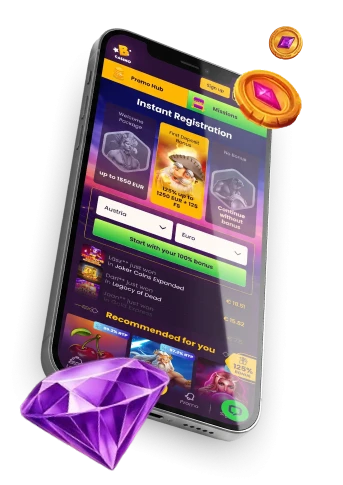
Bizzo is an online casino platform offering a wide range of games, bonuses, and account features. This page is designed to help you resolve common questions quickly and connect you with the right resources when you need further assistance. For anything not covered here, Bizzo customer support is available directly through the Bizzo platform.
Confirming Your Identity
Why does Bizzo ask me to verify my account?
Identity verification — sometimes called KYC (Know Your Customer) — is a standard requirement at online casinos. It exists to protect players from fraud, confirm that account holders meet the legal gambling age in their province or territory (18 or 19), and ensure that withdrawals are sent to the correct person. Verification is handled entirely within the Bizzo account area, not on this website.
When might verification be requested?
Verification can be triggered at different points in your player journey. It may be prompted when you request your first withdrawal, when your account activity reaches certain thresholds, or when Bizzo’s security team flags details that need clarification. You may also be asked to verify at any point if there is a discrepancy between the information on your account and the data submitted during registration.
What kinds of documents are typically reviewed?
The most commonly requested documents include a government-issued photo ID (such as a passport, driver’s licence, or national identity card), proof of your current residential address (such as a recent utility bill or bank statement), and confirmation of the payment method you use. In some cases, additional documents — such as proof of the source of funds — may be requested. All documents must be submitted through the designated section of the Bizzo account area.
Why must my account details and documents match exactly?
The name, date of birth, and address on your documents must correspond precisely to the information you provided at registration. Any inconsistency — even a minor spelling variation — can delay the process or result in the verification being declined. If you notice an error in your account details, contact Bizzo customer support before submitting your documents.
What should I do if my verification is taking a long time or has not been approved?
Verification timelines can vary depending on the volume of requests and the complexity of the documents submitted. If you have been waiting and have not received an update, reach out to Bizzo customer support through the live chat or email function inside the platform. Provide your account details and note which documents you have already submitted so the team can locate your case promptly.
Your Account
I cannot log in — what should I check first?
Before contacting support, confirm that you are entering the correct email address and that your password has not been changed. If you have forgotten your credentials, use the password reset option on the Bizzo login page. Also check that your browser is not auto-filling outdated saved credentials, and try clearing your browser cache before attempting again.
My account appears to be temporarily unavailable. What could cause this?
Accounts can be placed on hold for several reasons, including a pending verification request, a suspected security concern, or a breach of the platform’s terms of use. If you did not request any restriction yourself and are unable to determine the reason, contact Bizzo customer support directly through the platform for clarification.
How do I update personal details on my account?
Changes to core account information — such as your name or registered email address — generally require supporting documentation to be reviewed by Bizzo customer support. This is to prevent unauthorised changes and to keep your account secure. Do not attempt to register a second account in order to correct details; doing so can result in both accounts being closed and winnings being forfeited.
Technical Issues
I am not receiving emails from Bizzo. What should I do?
Check your junk or spam folder, as mail filters can sometimes redirect messages based on sender patterns. If the message is not there, confirm that the email address registered on your Bizzo account is correct. You can also add Bizzo’s sender address to your contacts or safe senders list to help ensure future messages arrive. If the problem continues, contact Bizzo customer support and ask them to verify the address on file.
A game or feature is not loading properly. How do I fix this?
Begin by refreshing the page and checking your internet connection. Clearing your browser’s cache and cookies resolves many loading issues. If a specific game is unavailable, it may be temporarily restricted in your province or territory due to provider policy — this can change from time to time and is outside the control of this website. If the problem affects multiple features or persists across sessions, report it through the support function in the Bizzo platform.
Bizzo also has a mobile option — what if features behave differently there?
Some features may display or function differently depending on your device, operating system version, or browser. For guidance on using Bizzo on a mobile device, visit the Bizzo mobile access page. If a specific function works on desktop but not on mobile, include that detail when reporting the issue to Bizzo customer support.
What information should I include when contacting support about a technical problem?
To help the support team resolve your issue efficiently, include the following in your message: your registered account email, the name of the game or feature affected, the device and browser (or app version) you are using, a brief description of what happened, and the approximate date and time of the issue. A screenshot, if possible, can also be helpful.
Payments and Transactions
My deposit is not showing in my account. What could be the reason?
Deposits can occasionally take a short time to reflect in your account balance depending on the payment method used. If your funds have left your bank or payment provider but are not visible in the Bizzo account area after a reasonable wait, contact Bizzo customer support and provide proof of the transaction (such as a bank confirmation or payment receipt). Do not submit a second payment before the first has been resolved.
My withdrawal has not arrived. What should I do?
Withdrawal processing times vary by payment method, and some transfers take longer than others. If your request appears to be stuck in a pending state for longer than expected, check first whether your account verification has been fully completed — unverified accounts cannot process withdrawals. If verification is complete and the delay is unexplained, raise the issue with Bizzo customer support inside the platform.
My payment was declined. Why might this happen?
Payments can be declined for a number of reasons: the card or payment method may not be supported for your region, your bank may have blocked the transaction, or the details entered may contain an error. Note that Bizzo does not accept payments made from accounts or cards that do not belong to the account holder. If the decline reason is unclear, your bank or payment provider may be able to give more detail, and Bizzo customer support can advise on available alternatives.
I have a question about a bonus that was not applied correctly. Where should I look?
Bonus eligibility depends on a range of conditions, including your account status, deposit amount, country of residence, and whether you have previously claimed a similar offer. For a full overview of current promotions and the conditions attached to them, visit the Bizzo bonuses and promotions page. If you believe a bonus should have been applied but was not, contact Bizzo customer support with details of the offer in question.
Responsible Gambling
Gambling is meant to be an enjoyable form of entertainment — not a way to generate income or resolve financial difficulties. If you find that gambling is affecting your finances, relationships, or wellbeing, it is important to take action early.
Practical steps you can take include setting firm time and spending limits before you play, taking regular breaks, and never chasing losses. Warning signs that gambling may be becoming problematic include spending more than you planned, feeling anxious or irritable when not playing, or borrowing money to fund gambling activity.
If you are concerned about your own gambling or that of someone close to you, free and confidential support is available across Canada:
- ConnexOntario (Ontario): 1-866-531-2600, or chat at connexontario.ca
- BC Problem Gambling Help Line (British Columbia): 1-888-795-6111, or visit gamblingsupportbc.ca
- Addiction and Mental Health Helpline (Alberta): 1-866-332-2322
- Jeu : aide et référence (Quebec): 1-800-461-0140
You can also contact the problem gambling helpline in your province or territory for local guidance. Self-exclusion options are available directly through the Bizzo platform — speak with Bizzo customer support to learn more about setting restrictions on your account.